Atelier
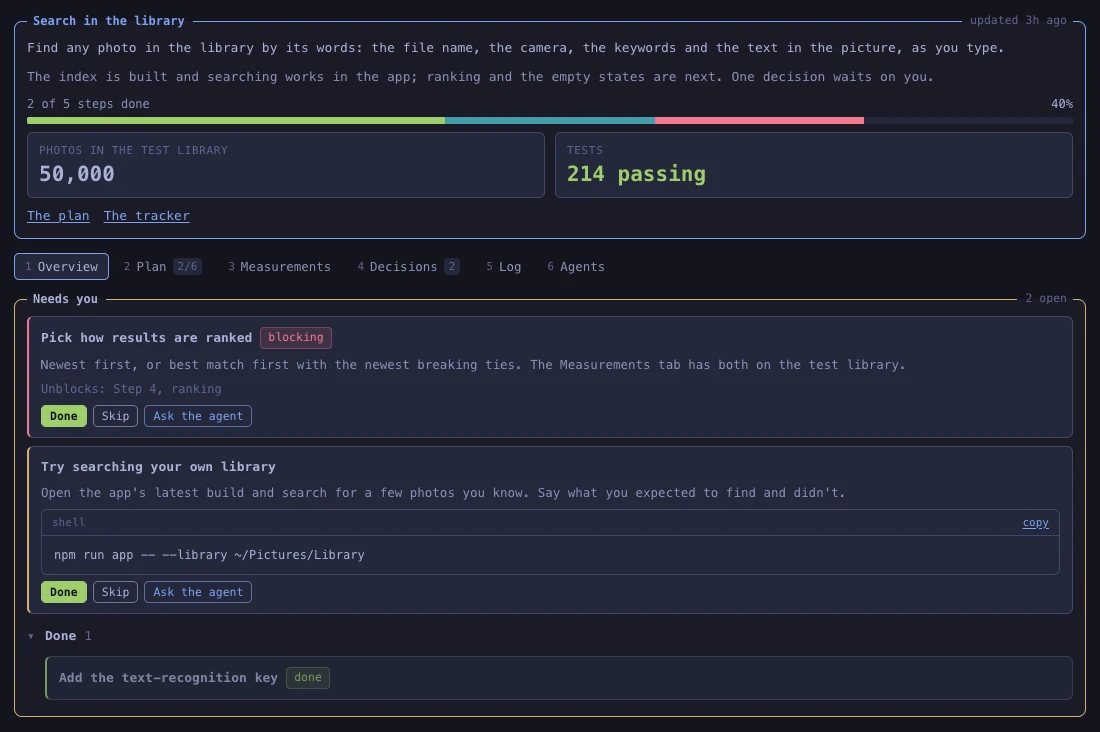
ActiveA Claude Code plugin that shows Claude's work as live canvases in your browser. You tick items or approve changes on a canvas, and Claude can read what you did or wait for your answer.
About the tool
Atelier gives Claude Code, Anthropic's coding agent, somewhere outside the terminal to show its work. Ask Claude to put something on a canvas, like a set of benchmark results or a choice between designs, and it writes one in the project's .atelier folder, as a page that opens in your browser. Atelier checks it, hands any problems back to Claude to fix, and opens it. Every canvas Claude writes or changes after that turns up in the same browser tab.
Eight templates cover the canvases that keep coming up, such as a workstream like the one above, a code review or a comparison of options. With those, Claude only fills in the data. Anything else it writes in React, with Atelier's kit of tables, charts, forms, images and video. Atelier's look comes from Omarchy, David Heinemeier Hansson's Linux setup, and every canvas takes its colours from the theme you pick, out of 76.
Whatever you tick, approve or answer on a canvas is saved in a file beside it. Claude can read it there, or put a question on a canvas and wait until you've answered. Buttons on a canvas can start Claude Code sessions and resume or message existing ones.
A canvas is code an agent wrote, so it runs in a sandboxed frame. When one asks to start, resume or message a session, or to open a file in your editor, Atelier shows you exactly what will happen, prompt included, and waits for you to confirm.